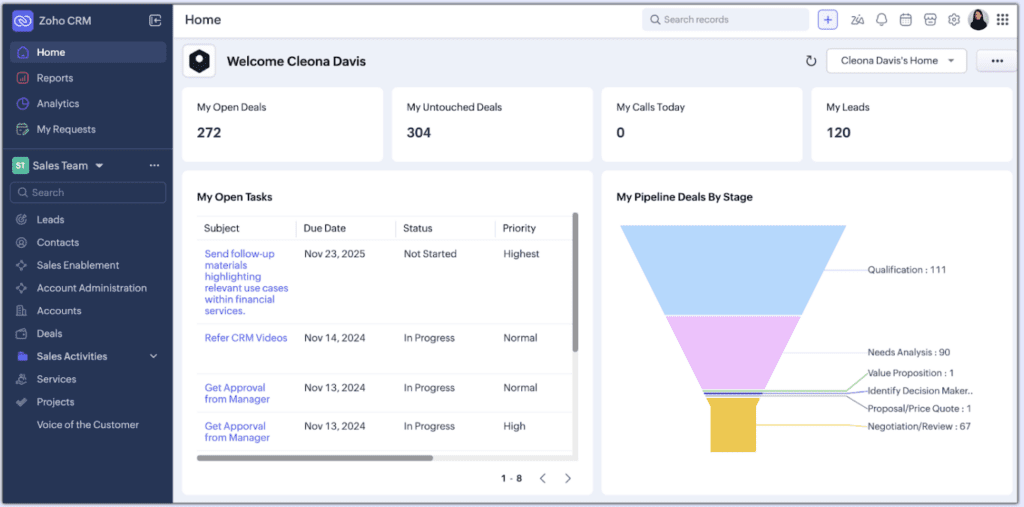
Customer relationship management systems (CRMs) are constantly evolving to meet the changing needs of modern New Zealand businesses, whether that is managing customers, sales funnels, or internal workflows. However, if businesses are spending too much time trying to figure out their CRM, it can slow teams down rather than support them. To address this issue, Zoho has introduced the NextGen User Interface (UI). This is a redesigned interface that represents the new and improved version of Zoho CRM for Everyone. While the core CRM capabilities remain the same, the interface provides a cleaner, more intuitive user experience and introduces a more modern layout that helps teams work faster and more efficiently.
For New Zealand businesses that already use the previous Zoho CRM interface, there is no need to worry. The transition to the NextGen UI is an easy and important step. With support from A1CRM, businesses can transition smoothly to the new user interface and begin taking advantage of its new and improved functionalities.
Why should your Business switch to NextGen UI?
Although many existing Zoho CRM users are familiar with the classic interface, NextGen UI is now the direction Zoho is moving toward for future development, with the company gradually transitioning all users to the new experience as the standard platform. Over time, the classic interface will be phased out, meaning businesses will eventually need to adopt NextGen UI to continue accessing the latest features and updates. With new features and platform enhancements now being developed exclusively for the updated interface, transitioning early helps businesses stay aligned with Zoho’s future development and feature releases, preventing them from being left behind.
Switching to the updated version offers several benefits:
Better usability: The simplified layout helps teams quickly find the tools and information they need, reducing time spent navigating the system and making everyday tasks faster to complete.
Stronger team collaboration: Teams can now operate within the same CRM ecosystem while maintaining their own workflows, helping different teams stay aligned while still working in ways that suit their roles.
Future-ready functionality: Businesses that adopt NextGen UI early will be better positioned to take advantage of upcoming Zoho innovation, ensuring they continue to access the latest features and platform improvements.
For New Zealand businesses aiming to scale operations or improve productivity, transitioning to the new interface can deliver a smoother, more efficient CRM experience that supports both team performance and customer management.
What is Zoho’s NextGen UI?
This update focuses on improving navigation, increasing visibility of key information, and supporting collaboration across different business functions, creating an integrated CRM environment where teams can access shared data, streamline workflows, and work more efficiently together.
Key improvements include:
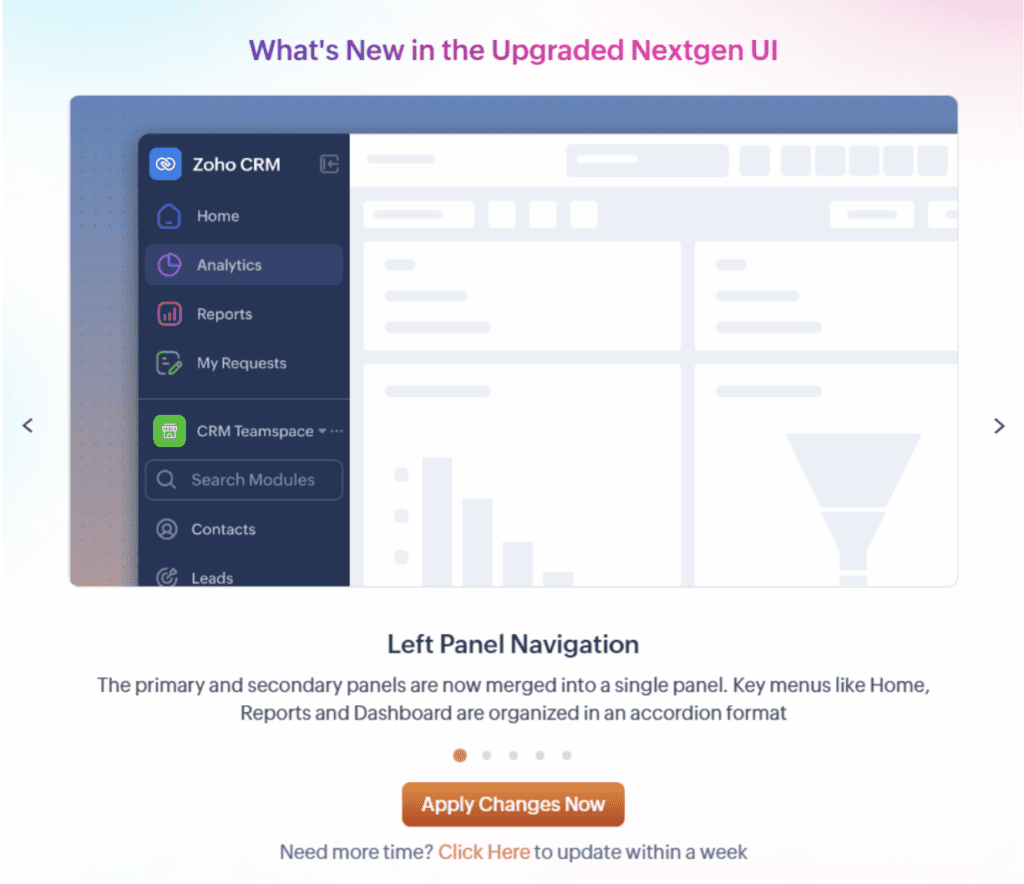
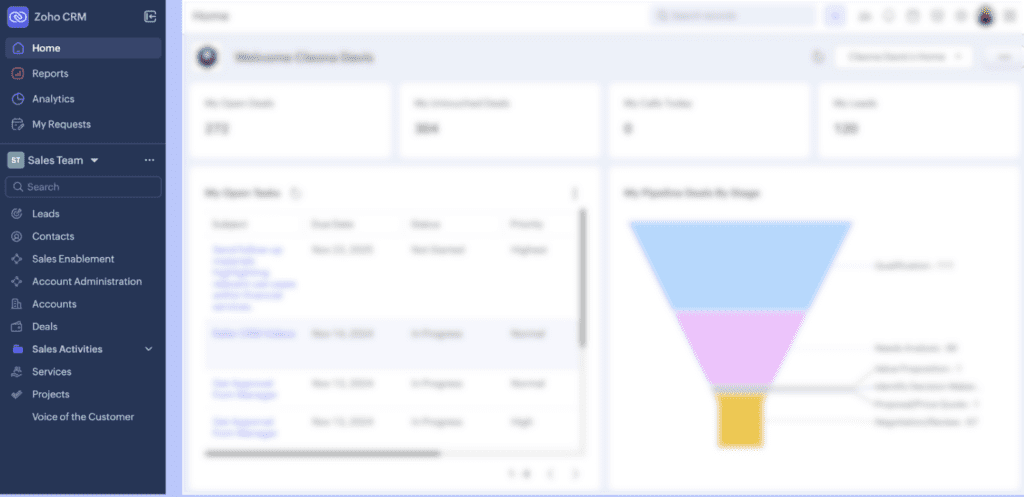
Redesigned navigation structure: The new interface replaces the traditional top navigation bar with a vertical left-hand sidebar, allowing users to move between modules more easily while freeing up more screen space to view records and data.
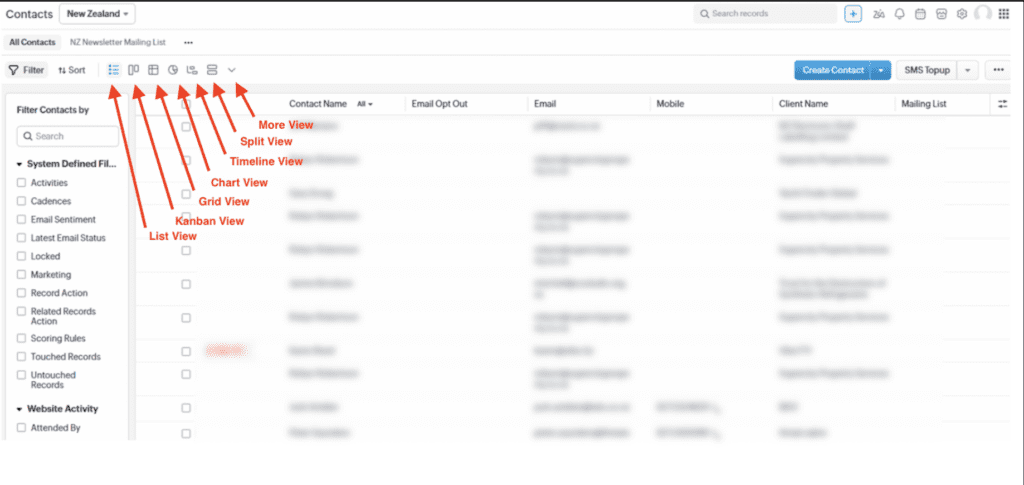
New data interaction views: NextGen UI introduces additional module views, such as ‘Grid View,’ ‘Timeline View,’ and ‘Chart View,’ giving teams more ways to analyse and interact with CRM data, whether that’s editing records in a spreadsheet-style layout, visualising data over time, or gaining quick insights through charts.
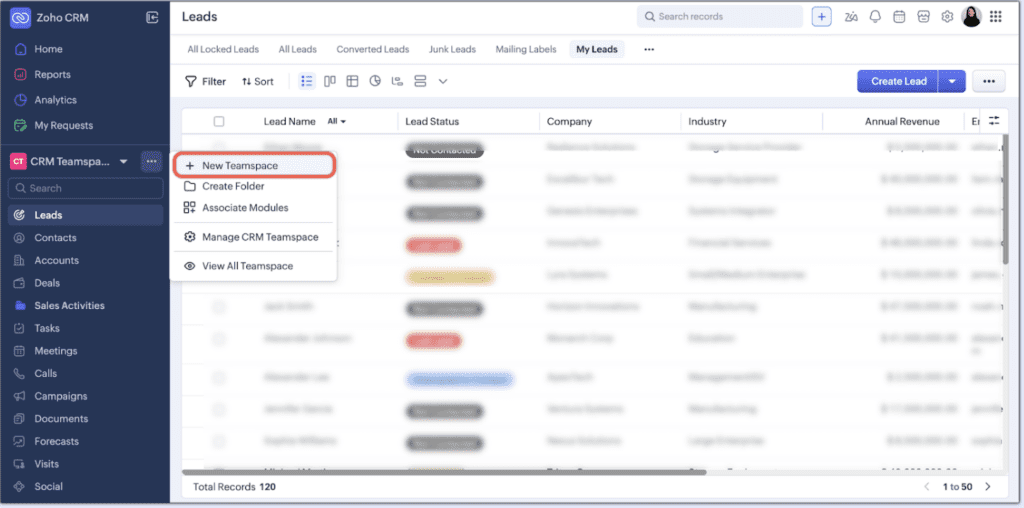
Enhanced collaboration through Teamspaces: Different teams can work within dedicated workspaces inside the same CRM, whilst remaining connected to the broader business.
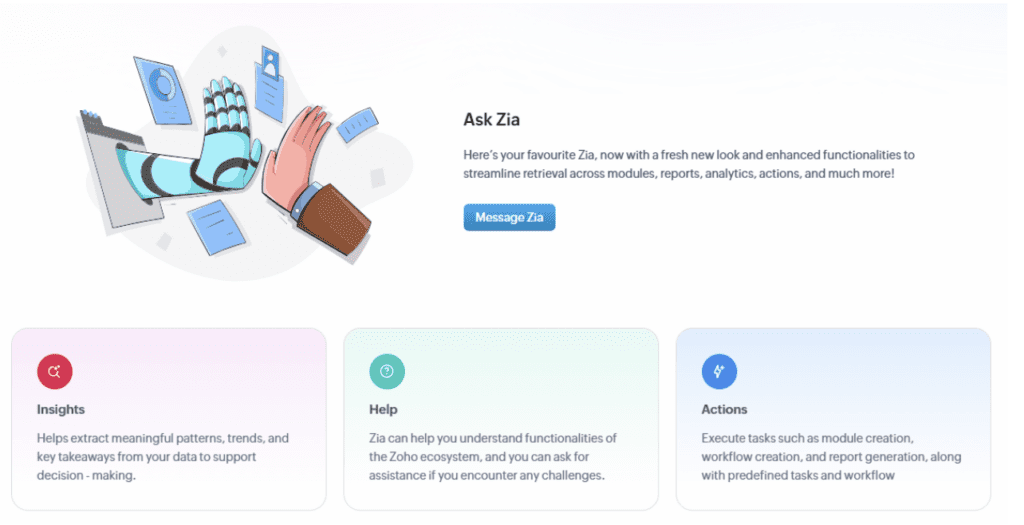
AI assistant ‘Zia’: Zoho’s AI assistant ‘Zia’ supports users with automation assistance, intelligent insights and recommendations that help teams manage CRM data more efficiently.

These changes are designed to help businesses spend less time navigating the platform and more time focusing on building strong customer relationships through greater efficiency and improved collaboration across teams.
How our clients can transition to NextGen UI
Zoho has made the transition process straightforward for existing users. Many clients will see an in-platform prompt within Zoho CRM for Everyone inviting them to explore or activate the NextGen UI, and with the help from us at A1CRM, we can help you get on top of it easily. Once activated, the transition is designed to be seamless:
- Existing CRM data remains unchanged
- Custom fields, modules, reports, views and workflows continue to function as normal
- Admins can explore the new interface before rolling it out across their teams
This allows businesses to become familiar with the updated layout without disrupting their daily operations and losing any important information.
Making the most of the new interface
While activating the NextGen UI is simple, ensuring the system is optimised for a business’s processes often requires expert configuration. This is where A1CRM can provide valuable support and customisation, ensuring clients’ CRM environments continue to meet their wants and needs through integrating additional tools and automating key workflows to maximise efficiency.
With the right setup, businesses can use Zoho’s NextGen UI to:
- Streamline sales and customer management processes.
- Improve team collaboration.
- Automate repetitive tasks.
- Gain clearer insights into customer data.
Looking ahead
Zoho’s NextGen UI represents more than just a visual update. It reflects the next stage in the evolution of Zoho CRM. By modernising the interface and enhancing collaboration capabilities, Zoho is creating a platform that supports businesses as they grow and adapt.
For existing Zoho users, transitioning to NextGen UI is an opportunity to stay up to date with the latest platform developments and unlock the full potential of their CRM system.
If your New Zealand business is ready to transition to Zoho’s NextGen UI, the team at A1CRM can help ensure the process is smooth and optimised for your business workflows.
Get in touch with us to learn how we can help you make the most of Zoho CRM’s latest innovations.